

Field service
- Author
- Clovis de Bontin
- Published
- 20 October 2026
- Reading time
- 8 min read
Odoo 20: field service is now part of Planning
Field Service Is Now Part of Odoo Planning: What Installation Companies Need to Know
The Field Service app is gone.
If you run an HVAC, an installation company or any business that intervene on-site, this is a big deal. The features of the old Field Service app have been included in Planning. This is now where your dispatch, your technicians' day and your interventions are managed.
In this article, I'll walk you through what moved, why Odoo made that choice, what's genuinely better, and what you should check before your own database makes the jump. Let's take a closer look.
What Happened to the Odoo Field Service App?
During this year's edition of the Odoo experience, it has been announced that the Field Service app has been discontinued. All of its features have been integrated in the Planning app.
According to Odoo, they did that to provide a more consistent and flexible scheduling experience.
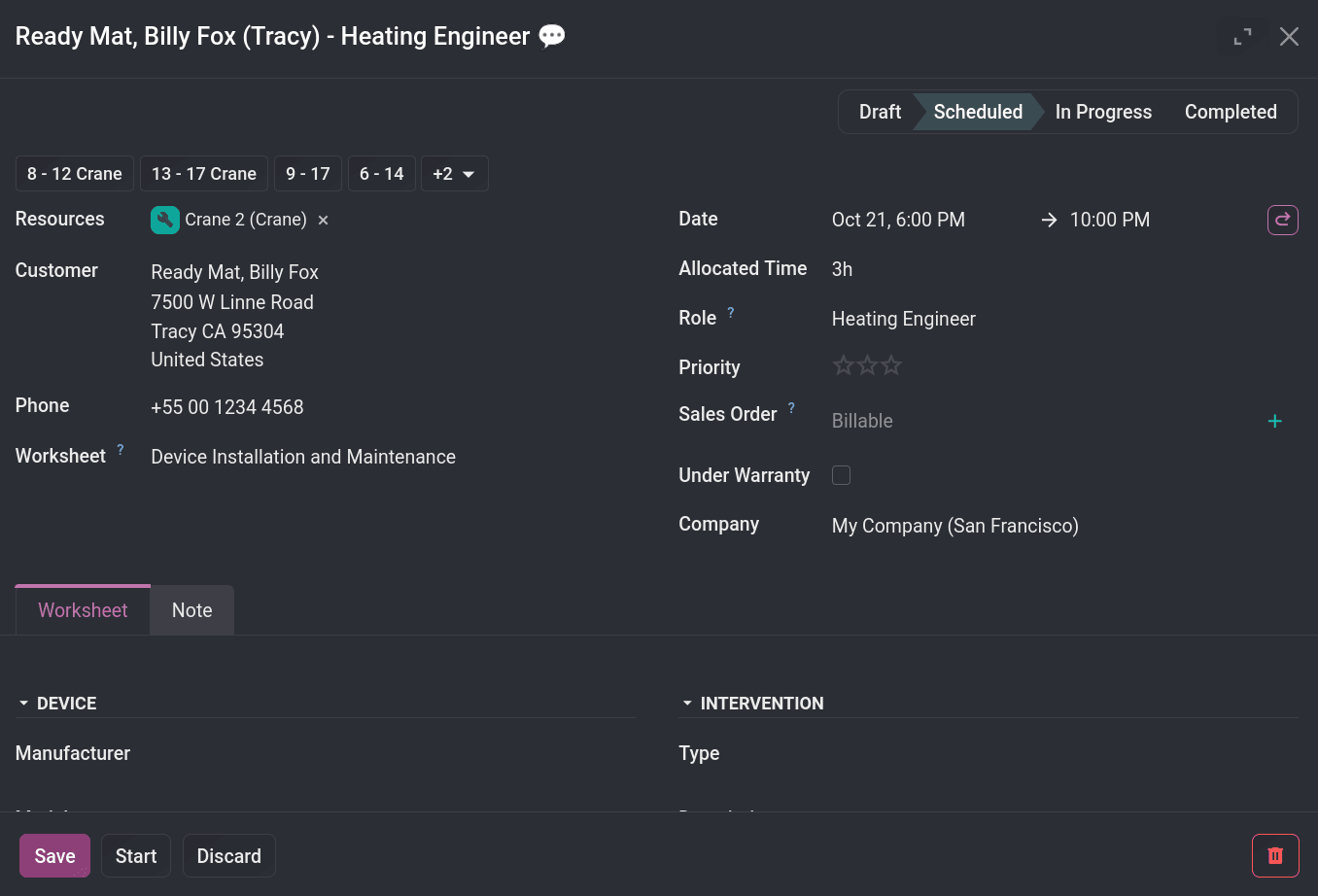
What does that mean exactly? First, interventions are now planning entries that carry a customer + address (plus worksheets, products, reports, signatures, maps, etc.).
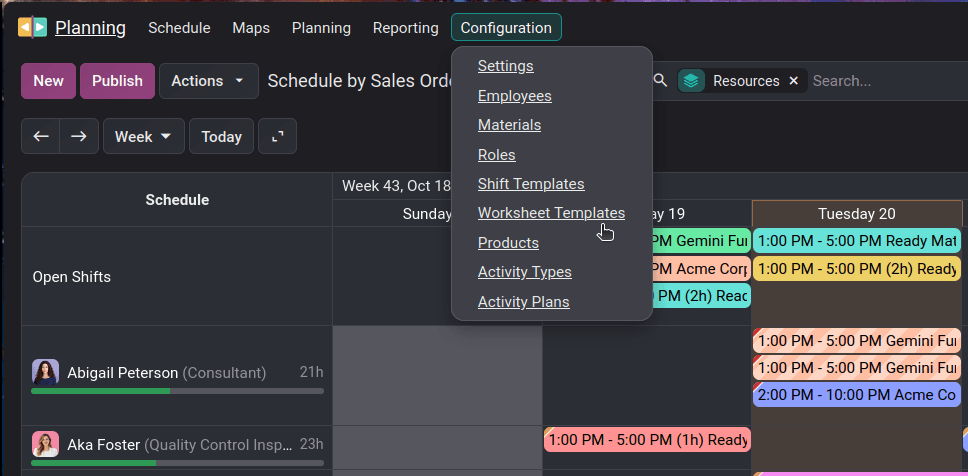
And secondly, everything lives under the Planning app. Resources (people, materials, vehicles) are scheduled in one place instead of juggling Field Service tasks and Planning shifts.
Unofficial (but obvious) reasons are as follow:
- 01Eliminate duplication: Field Service was largely a specialized scheduling layer on top of Project tasks. Planning already had a proper shift model (planning.slot). Maintaining two parallel scheduling systems created overlap and confusion about which app to use, and extra integration work.
- 02Make Planning the single resource engine: Odoo has been consolidating scheduling across the whole ERP (manufacturing work orders, projects, HR shifts, field service). Putting field interventions on the same shift object lets them share Gantt, multi-resource assignment, auto-planning, maps, etc., and simplifies the long-term roadmap.
- 03Code and maintenance simplification: One model and one set of views instead of two similar features is obviously easier to maintain. Worksheets also moved from Studio fields to property fields in the process, reducing the need for Studio in basic cases.
What's Better For The Dispatchers
The planning of the whole day and all employees now lives in the same app. No need to bounce back and forth between Field Service and Planning. When creating a schedule entry, the user can link it to resources, roles, customer, equipments and so forth.
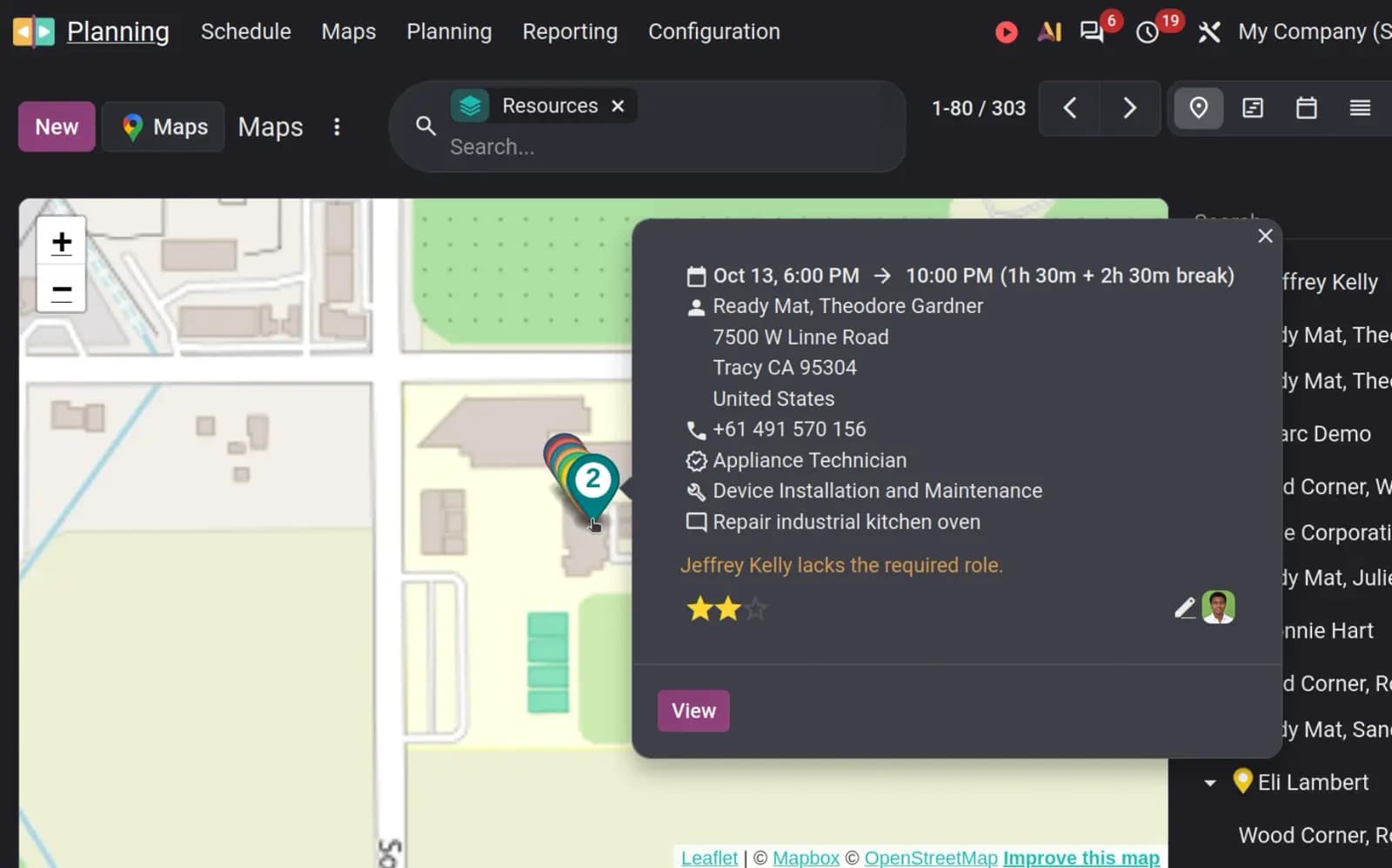
Worksheets are also managed from the same place. Dispatchers and managers can track the workers live from the interactive map as well. Optimal routes can be configured, then compared to actual routes. Travel time is accounted for automatically.
Pictures or documents linked to the intervention are all stored in this same place as well, the planning shift. WhatsApp is also integrated, meaning that your crews and customer receive automatic notifications about bookings, confirmations or updates.
Of course, you can follow the KPIs you need to follow in real time: drive time, jobs per tech per day, response time. In addition of being able to see where your crews are in real time on the live-map.
Another good news, technicians can be light users. Field Services is on the Light User list (roughly 1/3 of a full user price). But there's a catch. Sales features like adding products from a shift needs a Sales right, which would turn the tech into a full User.
What Changed For Your Technicians On Site
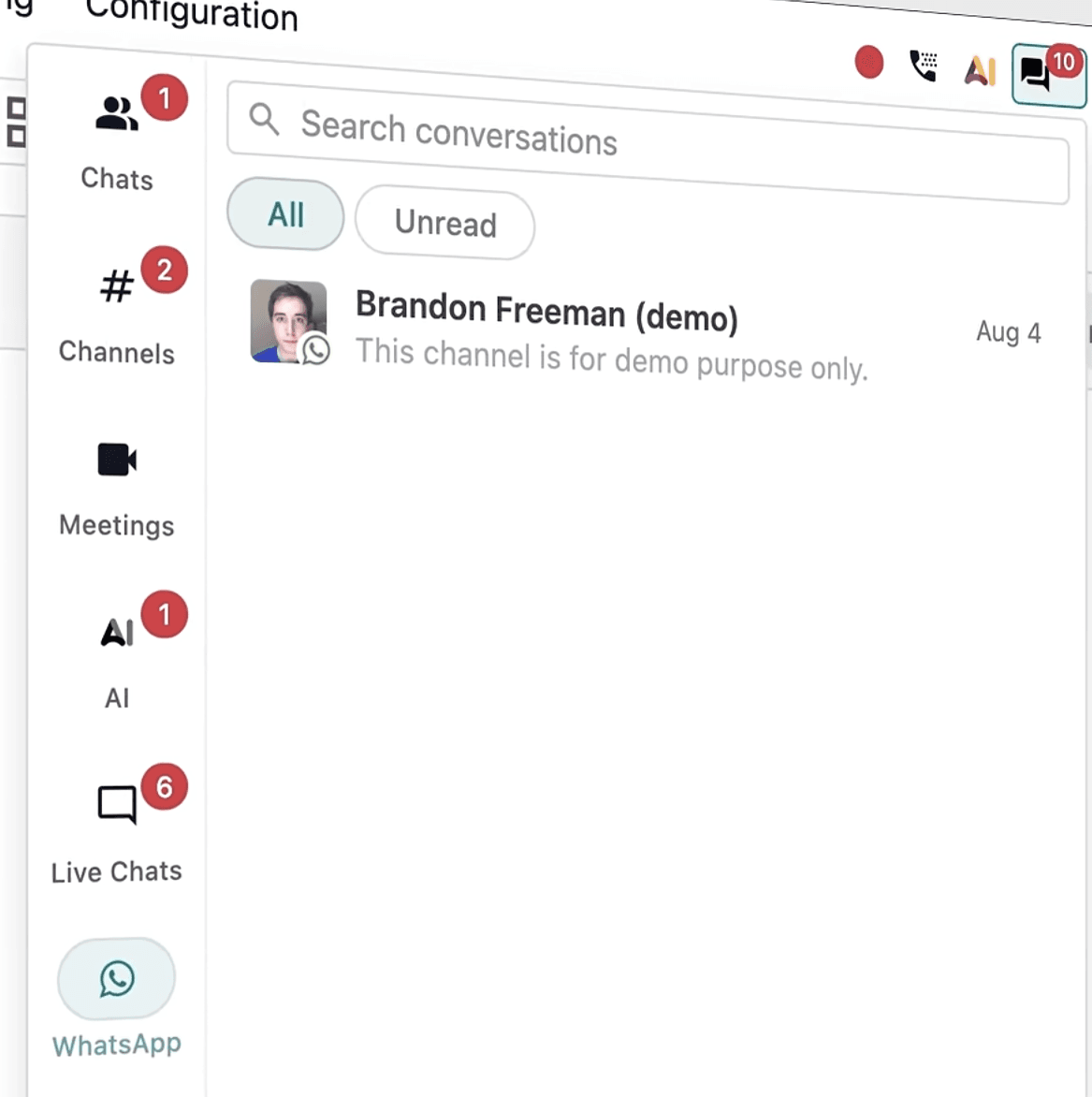
While on the road and on-site, the crew stays connected with the dispatchers. Odoo is available on smartphone and tablets, and they can communicate with the dispatcher or the customer through the features offered by Odoo Discuss.
The workflow is similar to the old Field Service app for the technicians: "My Planning" → "Sign In" → photos/products → "Worksheet" → "Complete" → "Sign Report". That means minimal disruption of their SOPs and habits.
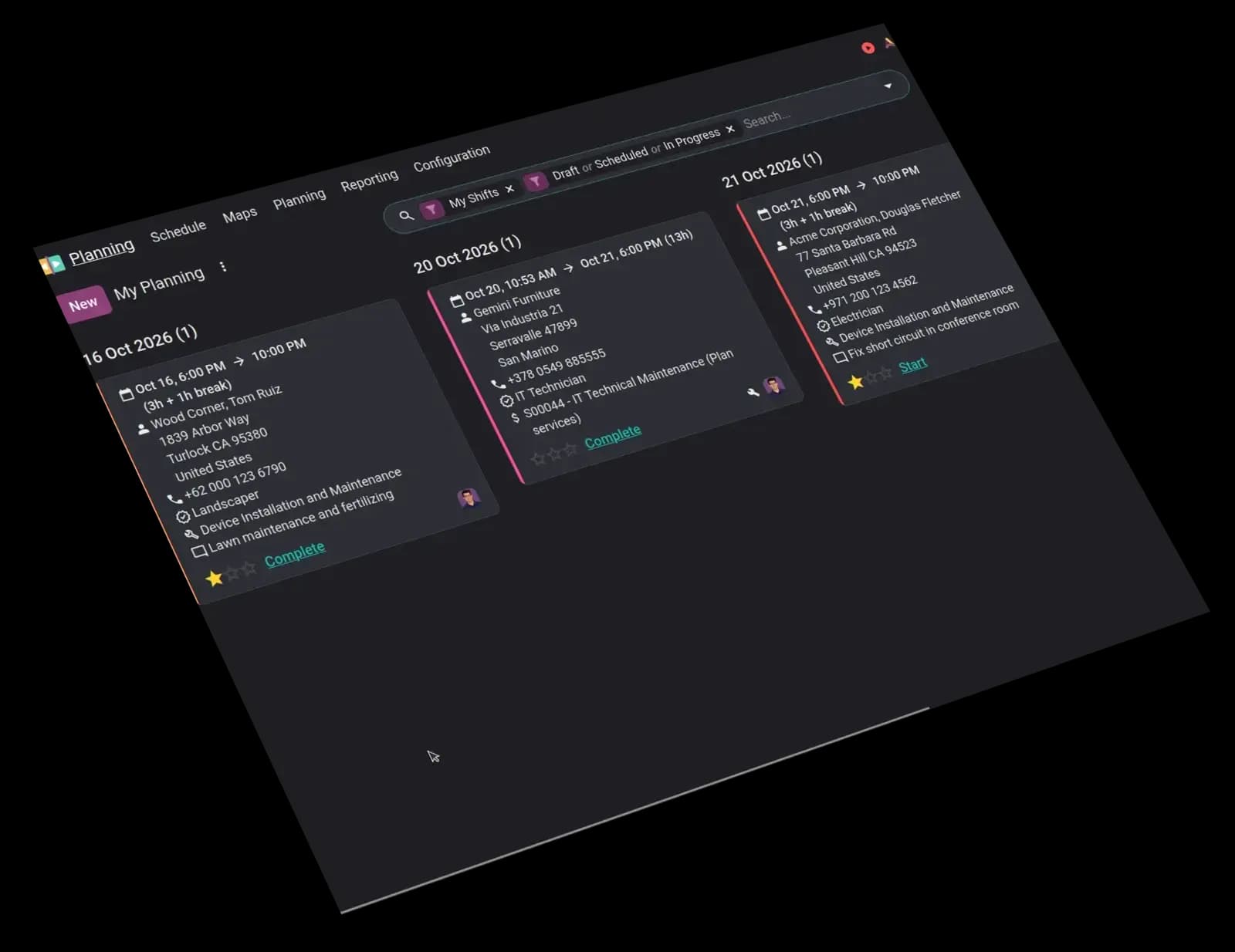
Odoo works now offline! If the technician loses connection during the intervention, he can still use Odoo, fill in the worksheet, and confirm the intervention. As soon as he gets back online, Odoo will synchronize.
Careful!! Offline mode is for short gaps only. Tell techs to open the day's shifts before going into a basement. And pictures won't upload while offline.
Before You Upgrade
Moving Odoo field service into the Planning app changes more than the menu. You need a decent playbook before moving to v20.0. Here is the one I propose:
- 01Test on a copy or staging (don't know what a staging environment is?): you can upgrade your staging environment to 20.0 and start testing today. Test your workflows, identify new features, brief your teams...
- 02Check that your Field Service history now lives in Planning:Confirm past interventions, customers, technicians, times, and reports all appear correctly as Planning shifts.
- 03Check Studio-based worksheets: Worksheet templates now use property fields instead of Studio fields, so rebuild or migrate any custom worksheets.
- 04Check payroll flows that relied on work entries: The Planning–Payroll integration and work entries were removed; verify overtime, travel, and related calculations still work.
- 05Set up a Mapbox token and clean customer addresses: Location-aware auto plan, travel times in the Gantt, live maps, and distance-based travel fees need accurate geocoded addresses and a Mapbox integration.
- 06Decide who needs which licence: Light User covers Field Services and My Planning, but technicians who add products from a shift need the Sales “User: All Documents” right and become full Users.
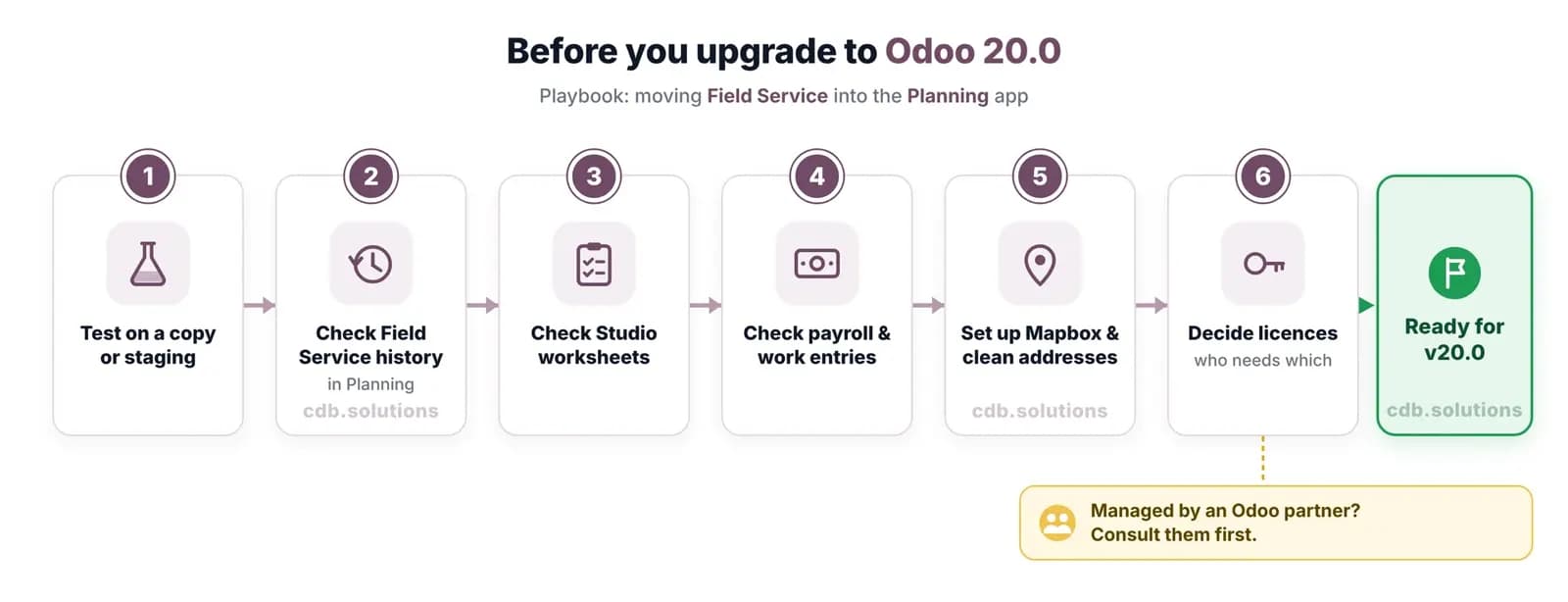
If your database is managed by an Odoo partner, consult them before running the upgrade or changing licenses, worksheets, or payroll settings.
Conclusion
This was a very quick summary explaining where the Field Service app went in Odoo 20.0, and a review of new features of the Planning app.
You can watch Odoo announcement video here, or dive deeper into the Planning app, watching the Odoo presentation at the Odoo experience.
If you are looking implement Odoo for your HVAC or any kind of field intervention service, or simply to upgrade your Odoo database to Odoo 20.0, you can book a free meeting. We will be happy to study your specific business need, and guide you through your Odoo journey.
I sincerely hope this was helpful, and if you have any remark, suggestion or question, you can email me at louis@cdb.solutions or DM me on LinkedIn.
Thank you,
Clovis
Next step
See this in practice
Book a free demo. The technical partner for your country shows the apps that fit, at no charge.
Canonical URL: https://www.cdb.solutions/articles/odoo-20-field-service-planning
FAQ
Frequently asked question
The questions buyers ask most, answered here. If yours is not covered, ask us directly.
01Is Odoo Field Service discontinued?
02Where is field service in Odoo 20?
03Does Odoo Planning work offline?
04Do technicians need a full licence?
05When can I upgrade to Odoo 20?
06What industries are concerned?
07I still have a question.
Next step
Book a free demo
Tell us the country and the operation. The technical partner for your country shows Odoo against your process, at no charge.
+33 7 69 45 83 27UK with SofthealerEverywhere else with AppNvent
Free demo
Put this against your own operation
Country, industry and company size. The technical partner scopes the work and holds the agreement.
Country chooses the partner. The UK is implemented with Softhealer. Everywhere else, with AppNvent.
The demo is specific. Industry and company size tell the technical partner which apps to show you.
No charge, no obligation. Scoping and any agreement come later, and only if you want them.